Analyze Schema
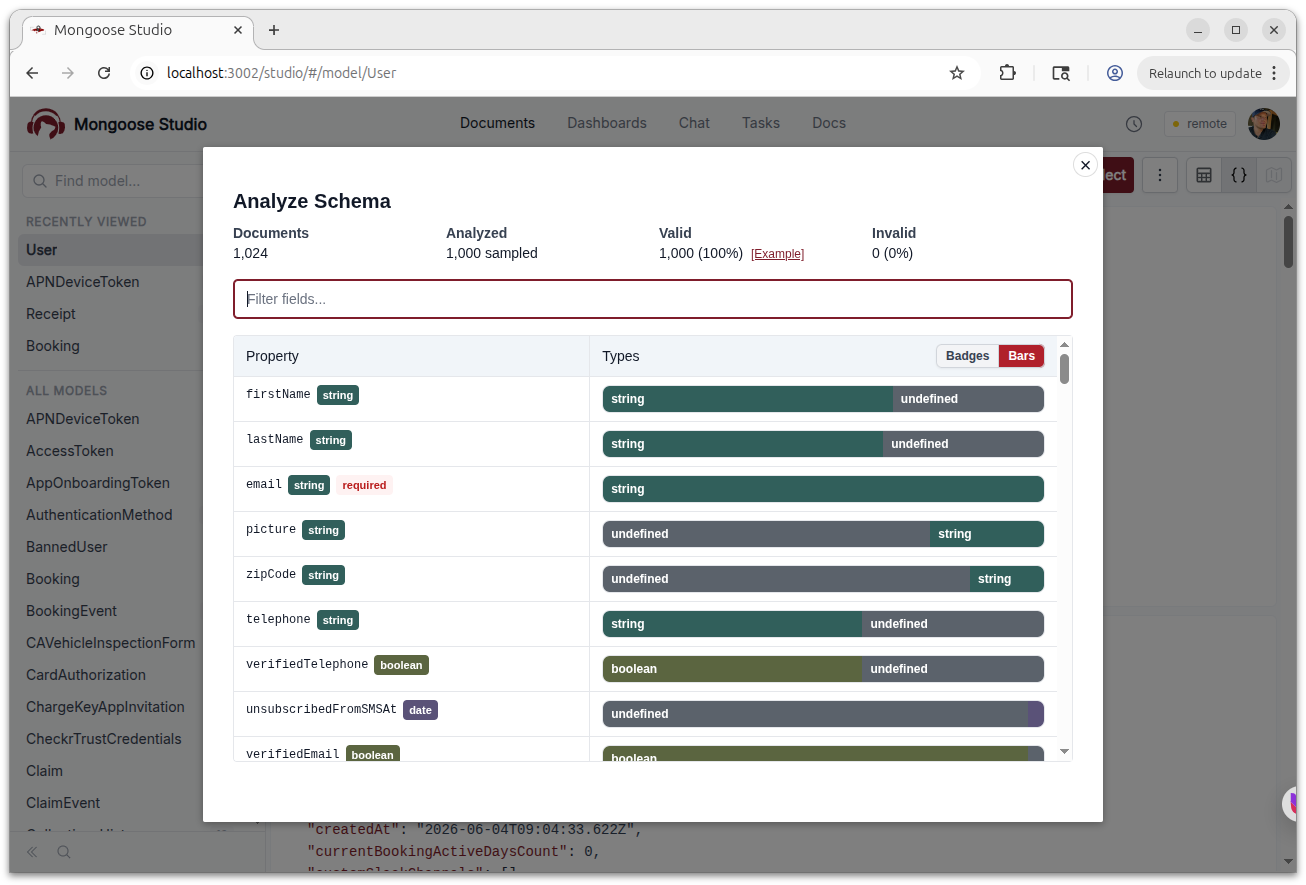
Mongoose Studio v0.5.5 adds an Analyze Schema action to the model actions menu. Studio now samples up to 1,000 documents from the active collection and shows how the stored data lines up with your Mongoose schema.
The analysis includes total document count, analyzed sample size, valid and invalid document counts, and per-path type distribution. You can filter fields in the modal, switch between badge and bar views for type percentages, and jump directly to example valid or invalid documents.
This is useful when you are inheriting a collection, debugging old data, or checking whether a schema change matches what is already stored in MongoDB. Required paths are marked in the analysis table, and array paths are handled so nested array values show more useful type counts.
Document Validation
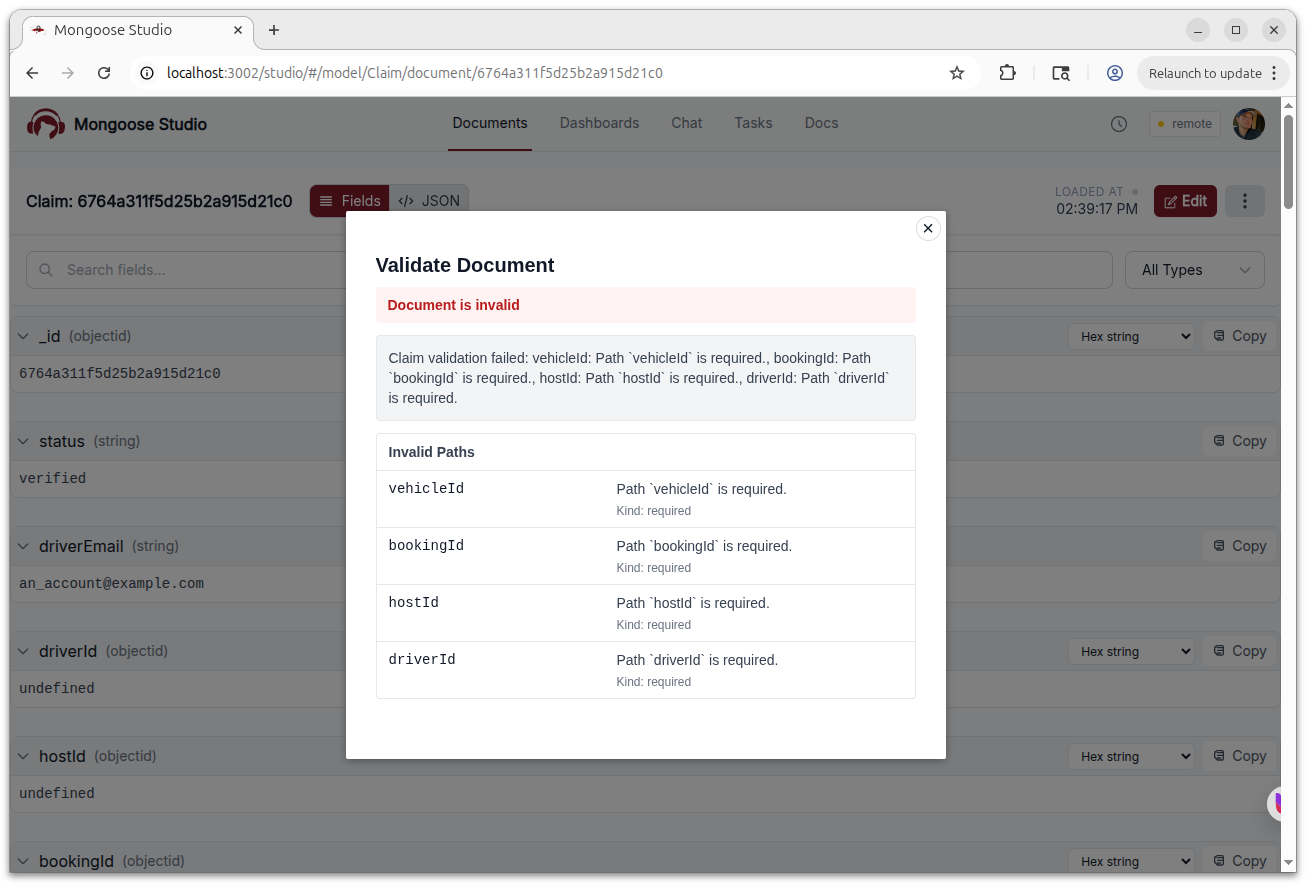
Document pages now have a Validate action. When you validate a document, Mongoose Studio hydrates it with the active model and runs Mongoose validation, then shows whether the document is valid.
For invalid documents, Mongoose Studio shows the validation error plus invalid paths, messages, and validation kinds where available. Analyze Schema uses the same validation flow to summarize invalid documents across the sampled collection.
The validation endpoints are available to readonly users as well as owner, admin, and member roles, because they inspect data without making changes.
Array Table View
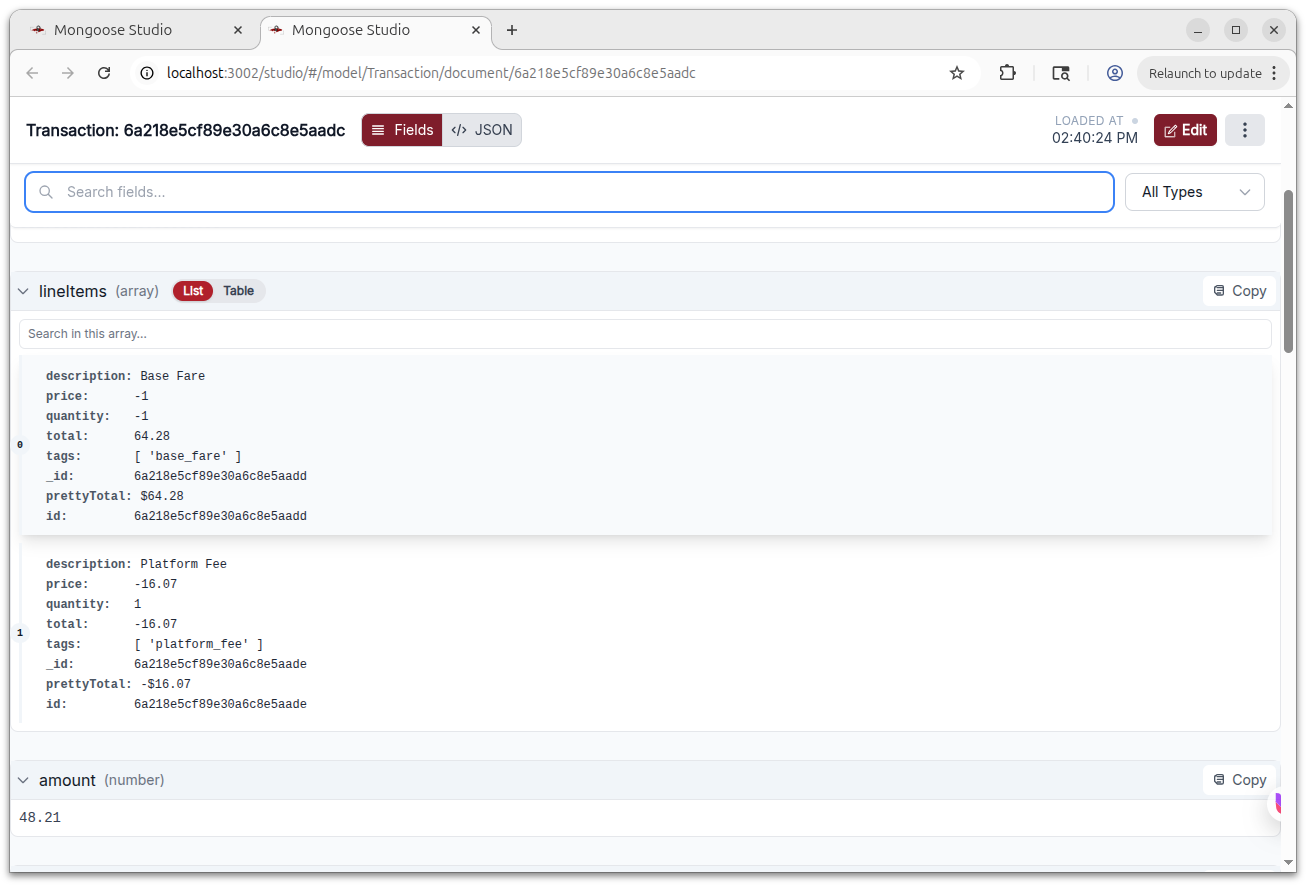
Arrays of plain objects are easier to read and edit in v0.5.5. Document detail views now include a List/Table toggle for array fields when the array contains objects. Table view uses the union of object keys as columns, keeps original array indexes visible, and includes search so you can filter rows inside large arrays.
Smaller Fixes
Mongoose Studio v0.5.5 also includes a few workflow cleanups:
- The model actions menu now disables options that are not valid for the current view, like row-number toggling outside table output and reset filter when no filter is active.
- The old Find oldest document action was removed from the model actions menu.
- Search matches in document field names and virtual field names are highlighted directly in the field header.