Drop Collection
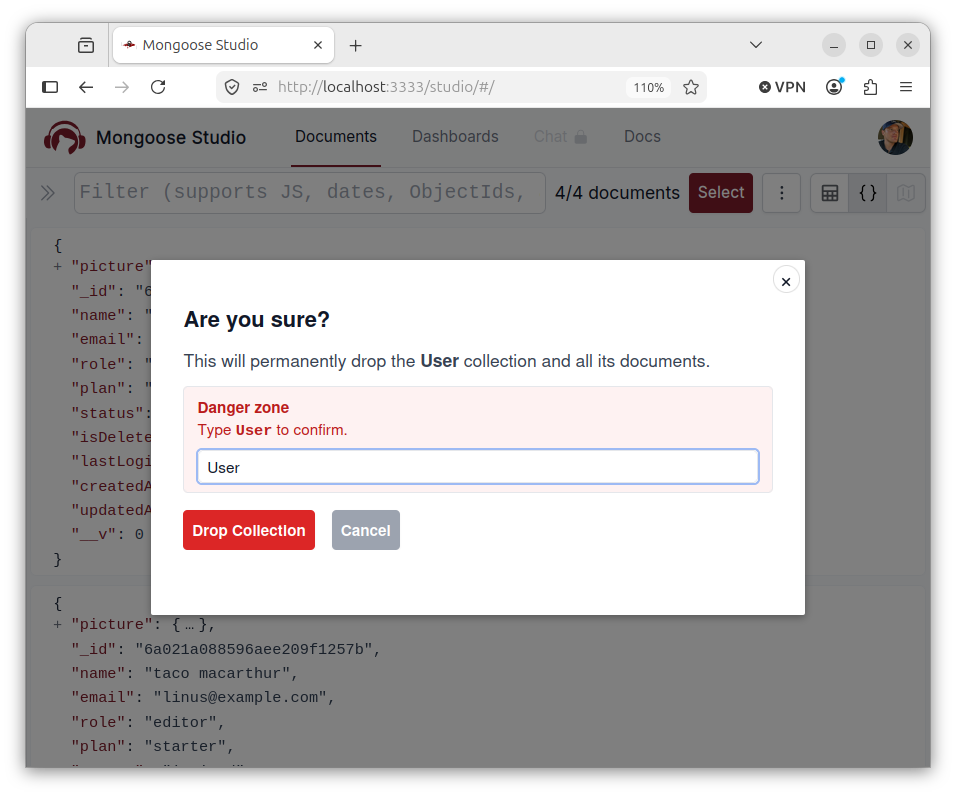
Mongoose Studio v0.5.2 adds a Drop Collection action to the model actions menu. When you need to clear out a development collection, reset imported data, or remove a collection that is no longer used, you can now do it directly from the models page.
Because dropping a collection is destructive, Studio shows a confirmation modal before running the operation. In non-local environments, Mongoose Studio also requires you to type the model name exactly before enabling the final Drop Collection button.
Expand Long Strings in JSON
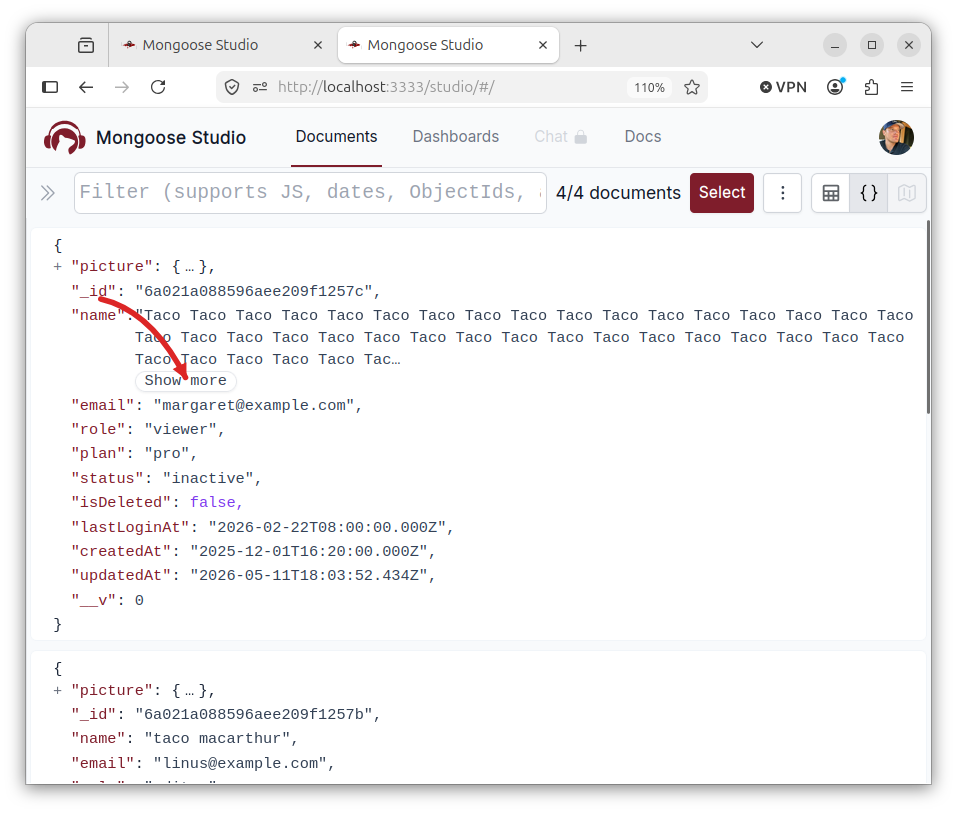
JSON views now handle long string values more gracefully. Instead of forcing oversized values into a single clipped line, Studio truncates long strings and adds a Show more control.
This makes documents with large text fields, embedded payloads, prompts, logs, or generated content much easier to scan. When you need the full value, expand it in place without leaving the JSON view.
Dashboard Execution Uses the Sandbox
Dashboard evaluation now runs through the same script sandbox used elsewhere in Studio.
That fixes dashboard code that needs access to the application database via db.model(), and keeps dashboard execution behavior aligned with scripts.
The dashboard sandbox also preserves useful helpers like ObjectId and MongooseStudioChartColors, and returns schema path metadata for documents that dashboards surface.
Better Streaming and AI Configuration Errors
The frontend now uses one shared SSE parser for chat, document streams, and auto-refresh streams. That means streaming error events now produce clearer client-side errors instead of failing silently or surfacing empty messages.
Studio also no longer falls back to the hosted Mongoose LLM endpoint when no AI provider key is configured. If chat is enabled, configure exactly one provider key: OpenAI, Anthropic, or Gemini. When multiple keys are set, Studio now tells you which providers were detected so the configuration issue is easier to fix.
Vercel and API Cleanup
This release includes Vercel deployment cleanup, including a backend/vercel export and fixes for query result exports in Vercel-style handlers.
It also improves API error handling so server message fields are surfaced in frontend errors.
Smaller UI Fixes
Mongoose Studio v0.5.2 also includes a few small workflow improvements:
- Pressing Enter in the document save confirmation modal now confirms the save.
- The mobile chat menu now closes more reliably.
- Multi-select row highlighting is clearer in table and JSON views.
- The navbar shows the logged-in user's email more cleanly when available.