Dry Run Mode
Mongoose Studio v0.5.0 adds Dry Run mode for scripts generated in chat. Dry Run lets you preview what a script would return without persisting any changes to your database.
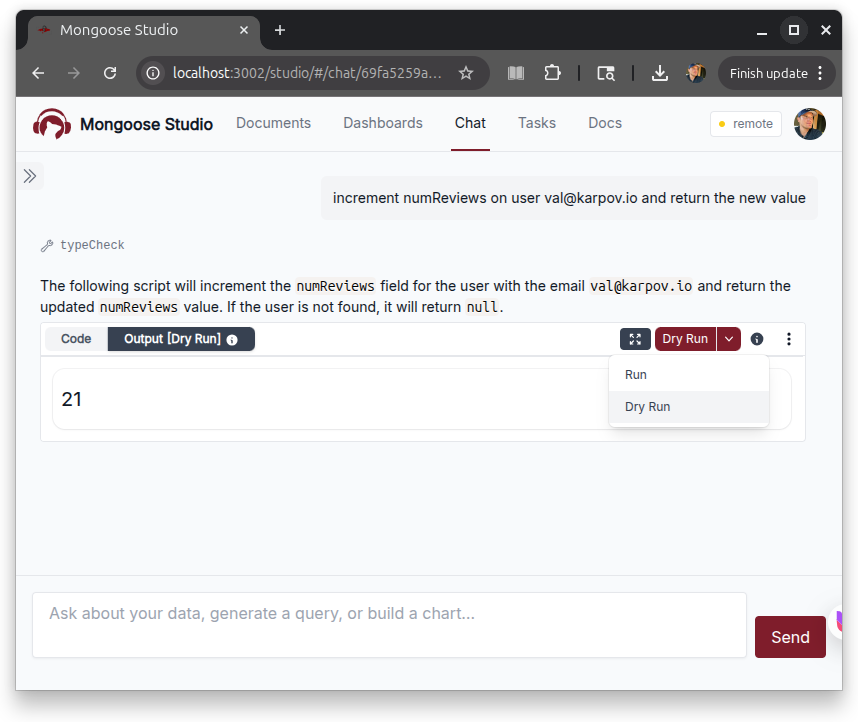
When you click Dry Run on a script message, Studio executes the script on the server inside a MongoDB transaction. The transaction session is automatically attached to Mongoose model and collection calls, the output and console logs are captured, and then Studio aborts the transaction so any writes the script performed are rolled back.
This is the change we have wanted for a long time.
Until now, "Run" on a chat-generated script was a one-way door: the script ran, writes landed, and if the result wasn't what you expected you were rolling things back by hand.
Dry Run lets you see what updateMany, deleteMany, or a multi-step migration script would actually do on your real data before you commit to it.
Dry Run output is marked in the Output tab with an info icon you can click for a reminder that the result came from an aborted transaction and nothing was persisted.
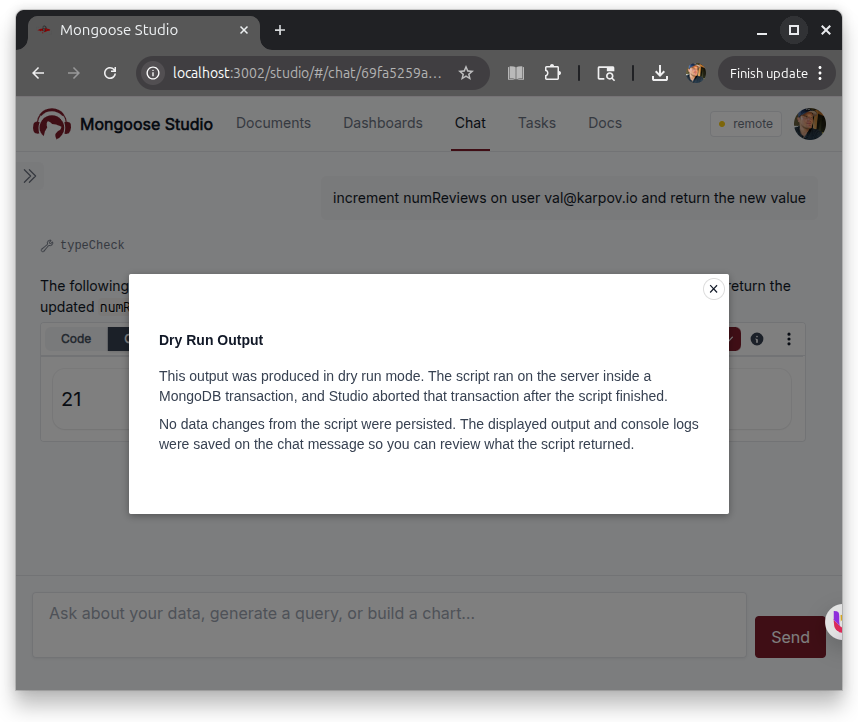
Dry Run requires MongoDB transaction support (a replica set or sharded cluster). Studio detects transaction support on startup via a new capabilities check and only surfaces the Dry Run button when transactions are available.
Sandbox Improvements
The script sandbox was rebuilt around the new Dry Run flow. The sandbox now wraps both Mongoose model calls and direct collection access so the transaction session propagates correctly, and it skips index builds during dry runs to avoid surprising side effects on collections that don't yet have their indexes.
These changes apply to non-dry-run scripts as well — script execution is more consistent and better isolated than in v0.4.x.