ObjectId Display Format Picker
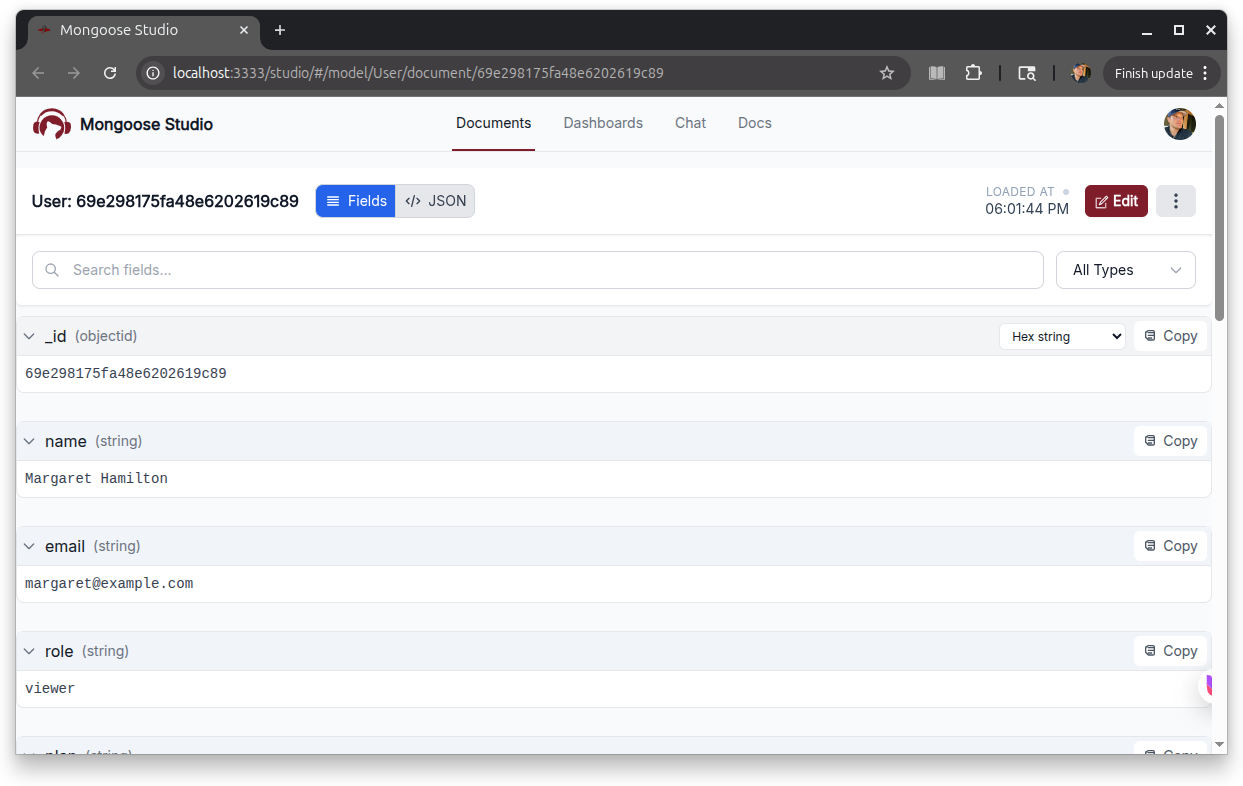
Mongoose Studio v0.4.1 adds a display format dropdown for ObjectId fields in document details. You can now switch between:
- Hex string — the standard 24-character hex representation
ObjectId('...')— theObjectId('...')constructor call form, ready to paste into a query- Unix timestamp — the seconds-since-epoch encoded in the ObjectId
- Date — the embedded creation timestamp rendered as ISO date
The format toggle changes only how the value is displayed, not what's stored. This is useful when you want to copy an ObjectId straight into mongosh, or when you need the embedded timestamp without manually slicing the hex.
Localhost-Only Access By Default
When you mount Mongoose Studio without an API key, it now only accepts connections from localhost by default.
Requests from any other IP get a 403 response.
This closes a footgun where a developer running Mongoose Studio without an API key on a server that happens to be exposed to the internet would unintentionally hand out unauthenticated access to their database.
Or a developer running Mongoose Studio on coffee shop WiFi.
Local development is unaffected — 127.0.0.1, ::1, and the IPv4-mapped IPv6 form all continue to work.
bindIp Option
If you do need to reach a no-API-key Studio from somewhere other than localhost (for example, a teammate on the same LAN), use the new bindIp option to allowlist additional IP addresses:
app.use(
  '/studio',
  await studio('/studio/api', mongoose, {
    bindIp: '127.0.0.1,192.168.0.10'
  })
);
bindIp accepts either a comma-separated string or an array of exact IP addresses, mirroring MongoDB's bindIp option.
Set bindIp to null to allow unauthenticated connections from anywhere - the v0.3.x default - if you really want to opt back in, but we do not recommend that.