Agent Mode
Mongoose Studio v0.4.0 introduces Agent Mode for chat. When agent mode is on, Mongoose Studio can investigate your data with tool calls before responding, instead of writing a script blind from the schema alone.
Toggle agent mode from the icon in the chat header. When enabled, an Agent Mode sidebar appears next to the chat showing the tools the assistant has access to. Your agent mode preference persists when you switch between threads, so you don't have to re-enable it every time.
The assistant now has four tools available while it works on your request:
estimatedDocumentCount— count documents in a collection (5s timeout) so the agent can decide whether a query is safe to run unboundedfind— run afind()against a Mongoose model and inspect real documents (5s timeout)findOne— sample a single document to verify field shapes and valuestypeCheck— type-check the proposed script with TypeScript andnode --checkbefore showing it to you
The agent uses these tools for exploration only — it samples and validates, then writes a self-contained script that re-queries MongoDB itself. The final script never depends on data the agent pulled in via tool calls, so what you approve is what runs.
This makes the chat noticeably better at questions where the answer depends on the actual shape of your data — counts, field-value distributions, relationships between collections — instead of just what the schema declares.
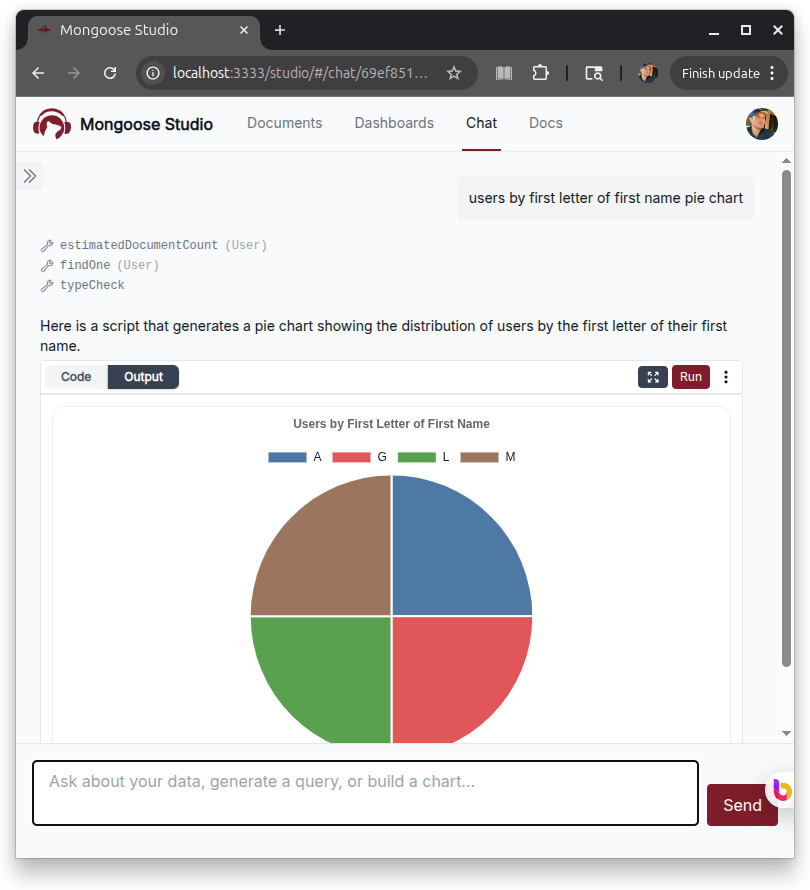
Agent Mode Without an Active Thread
You can now toggle agent mode before opening a thread. Sending the first message in agent mode creates the thread with agent mode already enabled, so you don't have to start a thread, toggle the setting, and re-send.
Misc Fixes
- Prevent a crash when chat output included a
$primitivevalue. - Clean up unhandled promise rejections in the chat streaming path.